Your music, in Roblox voice chat.
Music to Mic plays Spotify, YouTube or any app through your mic, with your voice on top. Only the app you pick is sent, so Discord pings and game sounds stay out.
Free for Windows 10 and 11 · Needs VB-CABLE (free) · Open source (MIT)
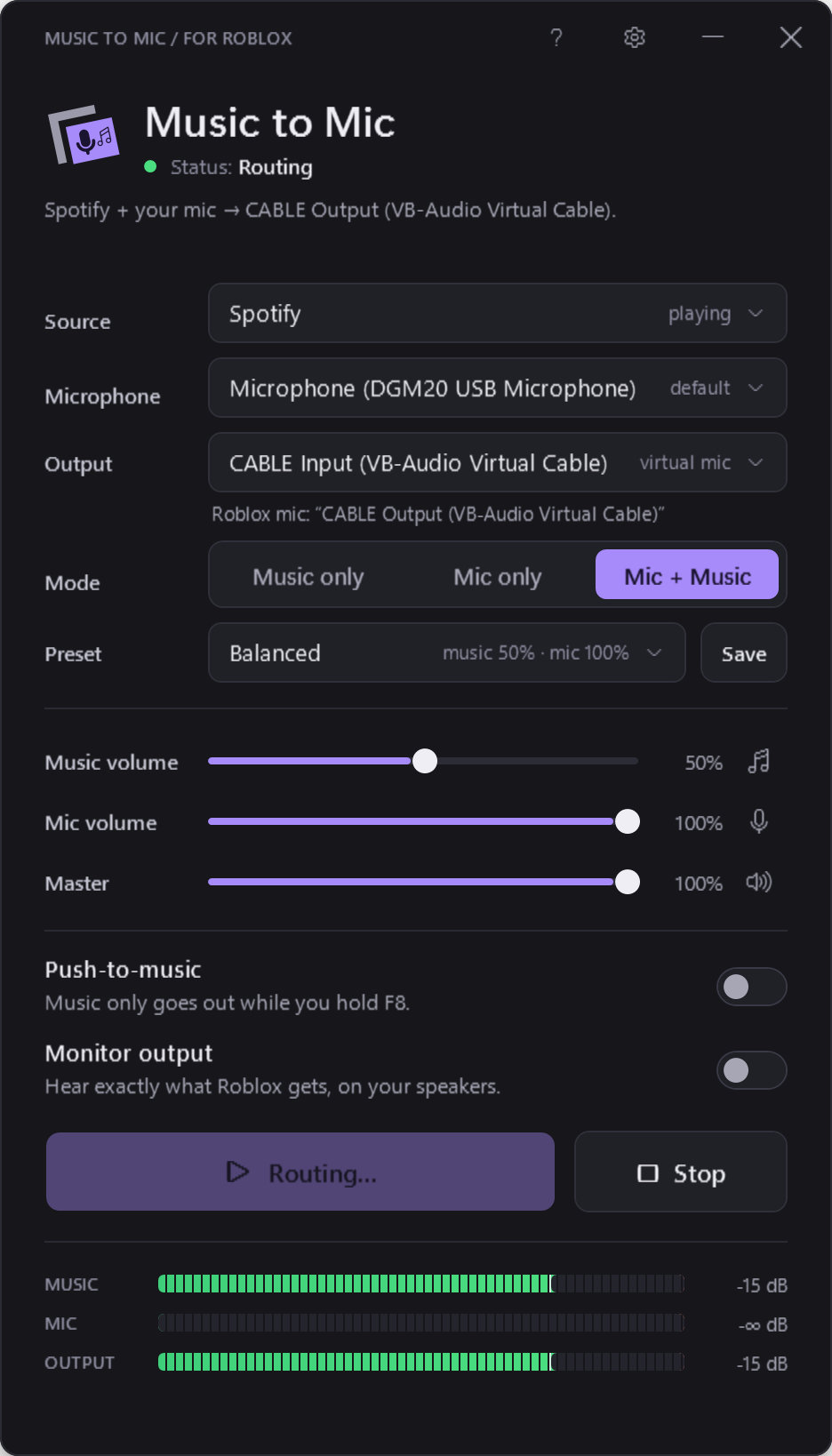
Just the music you pick. Then your voice.
-
One app, nothing else
Pick Spotify, Chrome, VLC or any app. Discord pings, game sounds and notifications aren't sent.
-
Your voice and the music
Mic only, music only, or both, each with its own volume. Presets like Background Music keep it under your voice.
-
Push-to-music
Hold F8, or a mouse side button, to send music. Let go and it stops. Roblox push-to-talk works as normal.
-
Never too loud
Live meters show the music, your mic and the mix, and a limiter stops it clipping before anyone's ears get blasted.
-
In sync for hours
About a tenth of a second behind, and it stays that way. No drifting, no stutter, even on long sessions.
-
Out of your way
Close it and it keeps playing from the hidden icons, using almost no CPU. If the music app closes, it waits for it.
Three steps, once.
-
Install VB-CABLE
A free virtual microphone by VB-Audio. Windows needs it to give Roblox a new mic.
-
Pick the music and your mic
Open Music to Mic, choose the app playing music and your real mic, and press Start routing.
-
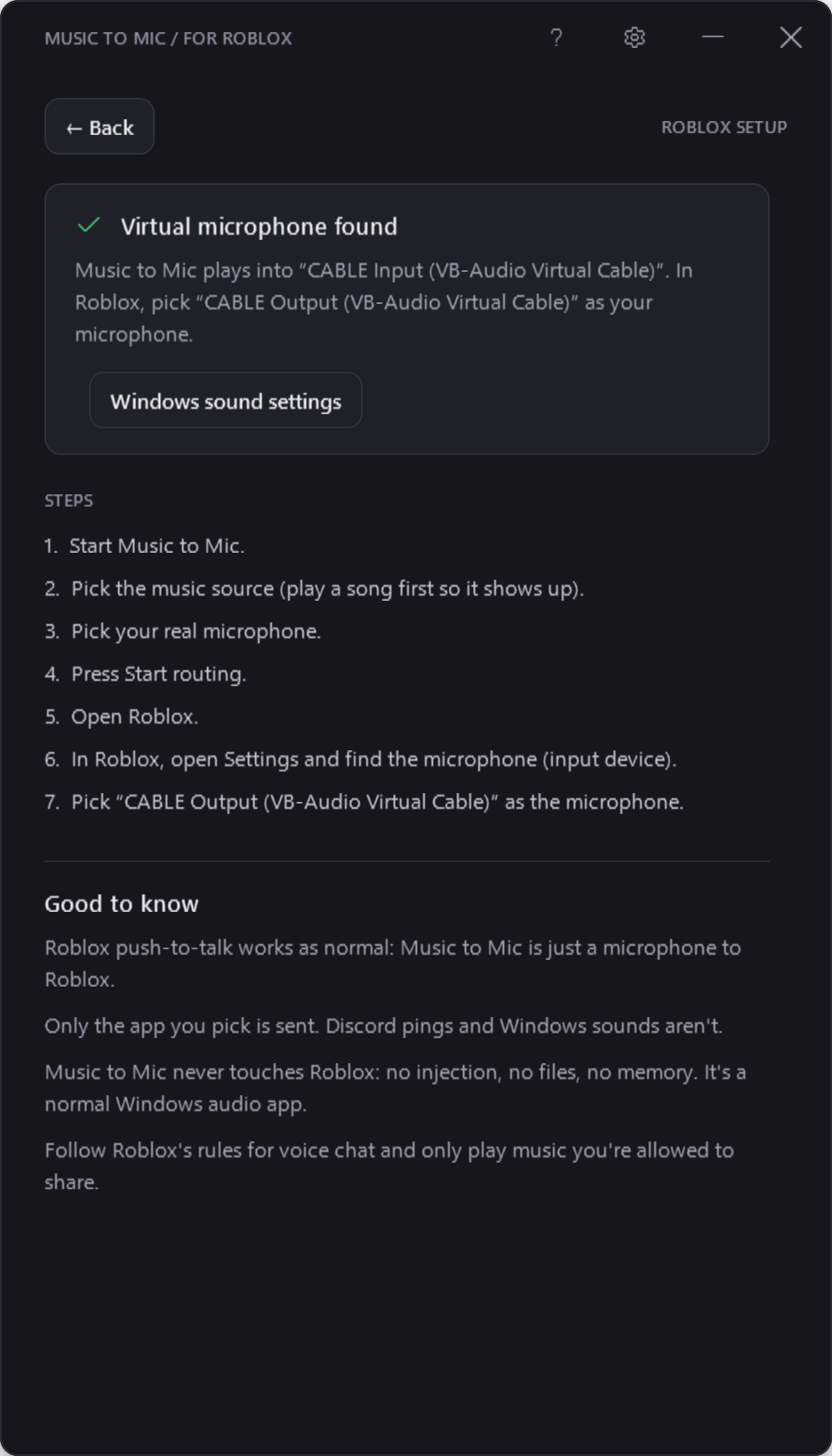
Choose CABLE Output in Roblox
In Roblox's settings, set your microphone to CABLE Output. That's it.
To Roblox, it's
just a microphone.
Music to Mic never touches Roblox. It mixes your music and your voice into a virtual cable, and Roblox listens to that cable like any other mic.
- No injection, no Roblox files, no memory access
- Works with Roblox push-to-talk and mute
- Built-in setup page that checks VB-CABLE for you
Check the facts, not a badge.
The code, the build and the limits are all public.
-
Every line is public
The full source is on GitHub under the MIT license. Read it, or build it yourself with what's already in Windows.
-
No internet, no recording
The app never goes online and never saves audio. Its small log only says what happened, like "routing started".
-
Keys are read, not hooked
Push-to-music only checks whether your key is held. It never blocks it, so Roblox still gets every key.
-
Built by GitHub, not by hand
Every release is built from the public code by GitHub Actions, with a checksum and a signed build record.
-
Small, no admin
One exe, under 300 KB. No installer and no administrator rights (only VB-CABLE's own installer needs them).
-
Tested for real
87 self-tests check that only the chosen app is sent, through the real cable, and a 10-minute run checks nothing drifts.
Check the download yourself.
Every release lists its SHA-256 checksum. Compare it with your copy, and with the GitHub CLI you can confirm GitHub built it from this code.
These checks prove the file is the one GitHub built from the public source. They're not Roblox approval.
Get-FileHash .\MusicToMic.exe -Algorithm SHA256
gh attestation verify MusicToMic.exe --repo bloxnest/music-to-mic
A small app from xRed1.
xRed1, student developer
A few quick answers.
Do my friends need it too?
No. Only the person playing the music needs Music to Mic and VB-CABLE. Everyone else just hears your mic in Roblox.
Why do I need VB-CABLE?
Windows can't create a new microphone without a signed driver. VB-CABLE is a free, signed virtual audio cable by VB-Audio: Music to Mic plays into "CABLE Input", and Roblox hears it from "CABLE Output". VoiceMeeter and Virtual Audio Cable work too.
I can't hear anything since installing VB-CABLE
Windows sometimes makes CABLE Input your default speakers after the install. Set your real speakers back in Windows Sound settings; Music to Mic warns you when this happens. How to fix it.
Is it allowed in Roblox?
To Roblox it's just a microphone input; nothing about Roblox is changed. Follow Roblox's rules for voice chat and only play music you're allowed to share. Music to Mic isn't made or approved by Roblox, so use it at your own risk.
Is there a delay?
About a tenth of a second from the music app to Roblox's mic, and it stays steady for hours.
Why does Windows show a warning?
Music to Mic isn't code-signed yet, so Windows may say "Windows protected your PC". If you downloaded it from this site or GitHub, choose More info, then Run anyway. You can check the checksum first.
Does it work on Mac, phone or console?
No. It needs Windows 10 (version 2004 or newer) or Windows 11, and the Roblox app on that PC.
How do I uninstall it?
Right-click the icon in the hidden icons and choose Exit, then delete MusicToMic.exe and the %APPDATA%\MusicToMic folder. To remove VB-CABLE, run its setup again as administrator and choose Remove Driver.
Bring the music.
Free for Windows 10 and 11 · Not code-signed yet