
Stay in the hangout. Keep using your PC.
NudgeNest is a free Windows app that stops Roblox's 20-minute idle disconnect. Roblox can stay minimized while you do anything else.
Free for Windows 10 and 11 · Open source (MIT)
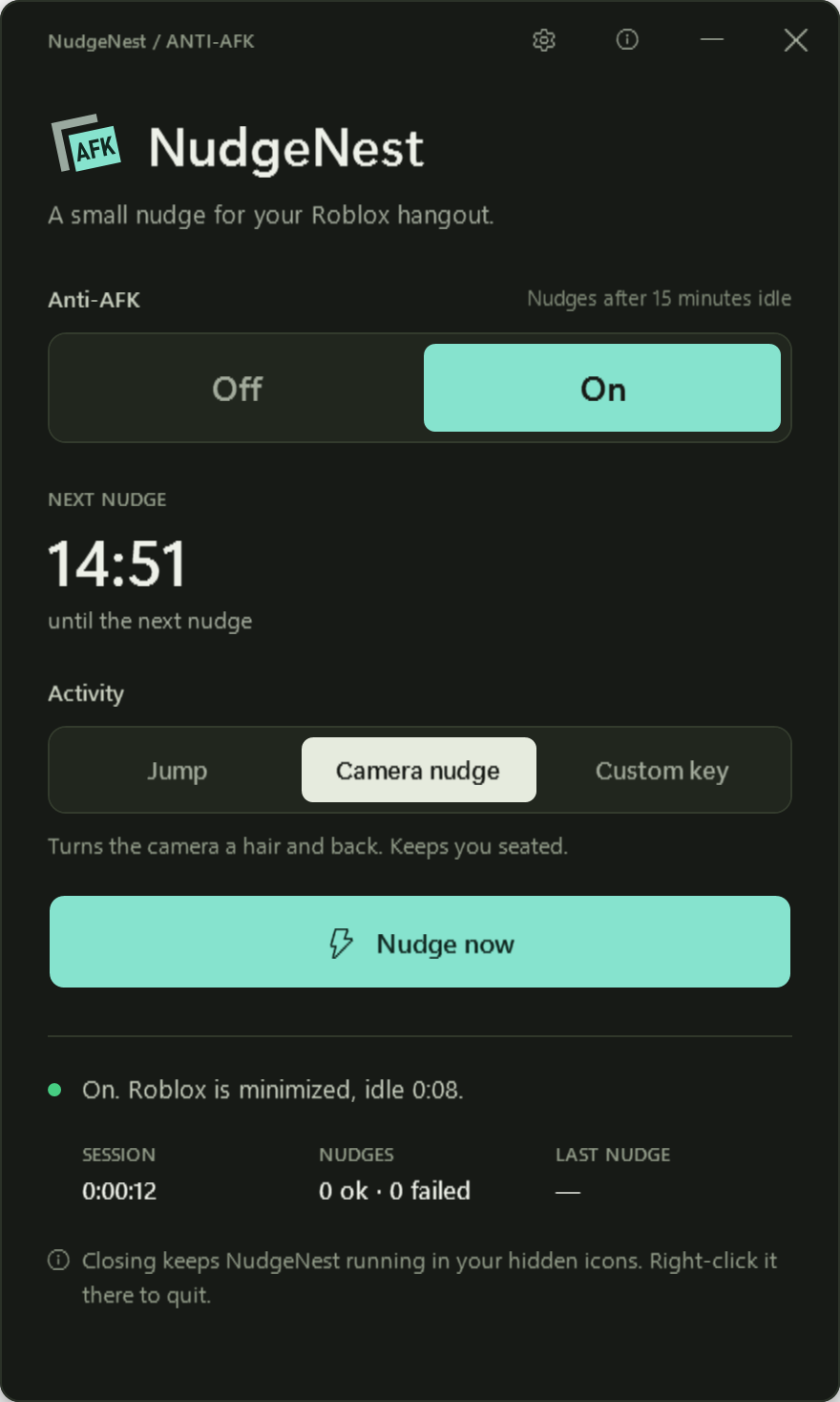
A little nudge. Then back to you.
-
Minimized is fine
Each nudge gives Roblox the keyboard for about half a second, then puts your window back in front.
-
Idle means idle in Roblox
Only input that reaches Roblox resets the timer. Typing in Chrome, Discord or VS Code doesn't.
-
Pick your nudge
Jump, a camera nudge that keeps you seated, or your own key. Keys that cause trouble are refused.
-
Ready when Roblox opens
Leave it in the tray: it turns on when Roblox opens and goes on standby when Roblox closes.
-
Checked after every nudge
Your window, Roblox's size and spot, and your mouse are checked. If something can't be put back, it stops.
-
No flicker
A Roblox you can see is never made see-through, and your screen doesn't jump around.
Set it up. Leave it in the tray.
-
Download and open
One small exe from GitHub. No installer and no admin rights.
-
Pick a nudge
Choose how long Roblox may sit idle (1 to 15 minutes) and what key it taps.
-
Hang out
Open Roblox, minimize it, and use your PC. NudgeNest handles the rest from the tray.
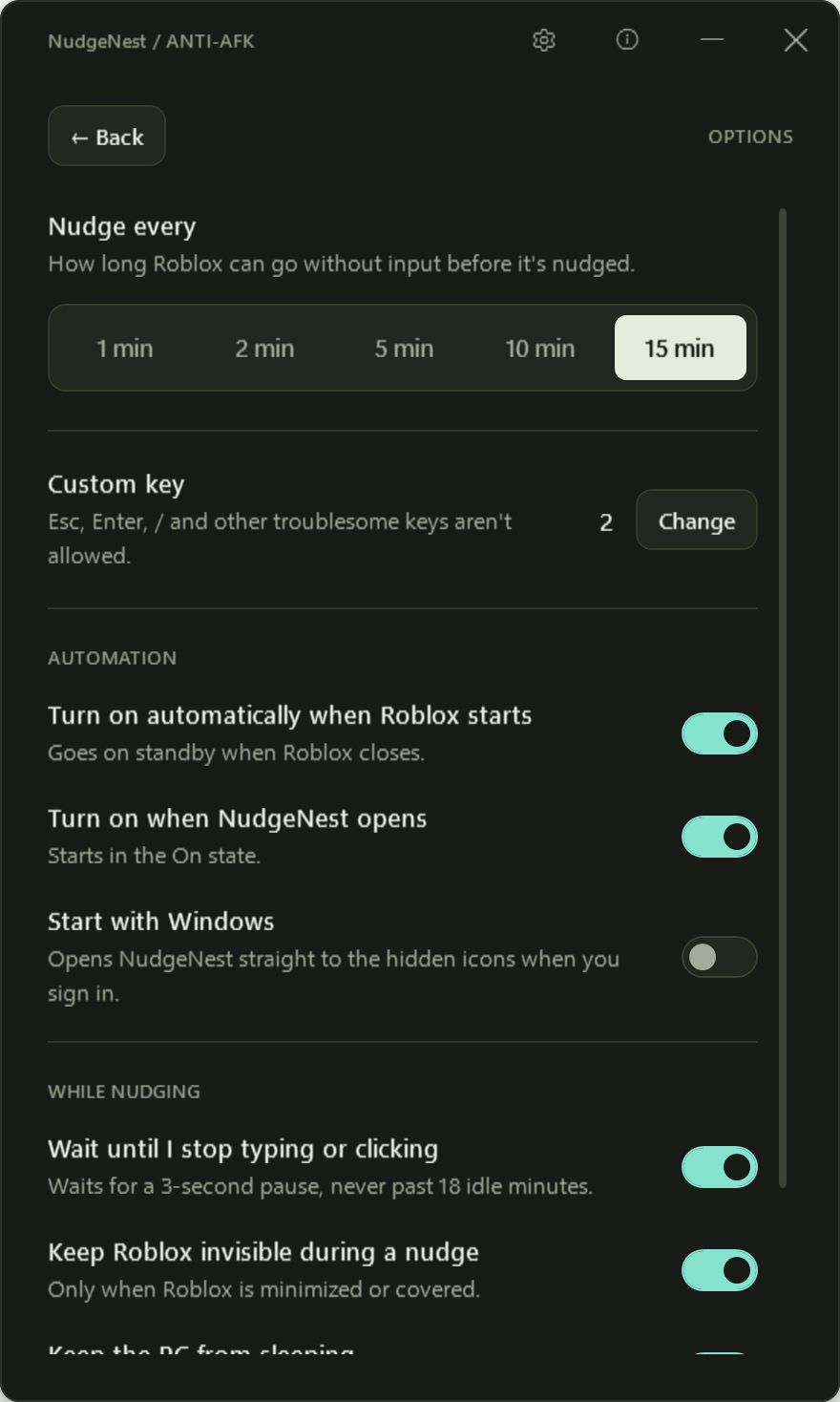
Set it once.
It stays out of your way.
A due nudge waits until you stop typing or clicking for a moment, but never past 18 minutes, since Roblox disconnects at 20.
- Turns on by itself when Roblox starts
- Waits for a 3-second pause in your typing
- Session stats and a small activity log
Check the facts. Not a safety badge.
You don't have to take "super safe" on trust. The code, the build and the limits are all public.
-
Every line is public
The full source is on GitHub under the MIT license. Read it, or build it yourself.
-
No internet connections
The app never goes online. No accounts, no telemetry, no ads.
-
Keypresses, not injection
It never touches Roblox's files, memory or process. It only presses a key, like you would.
-
Built by GitHub, not by hand
Every release is built from the public code by GitHub Actions, with a checksum and a signed build record.
-
Small, no admin
One exe of about 250 KB, under 30 MB of memory and no CPU while it waits in the tray, and no administrator rights needed.
-
79 self-tests
They run against stand-in windows, never the real game. They don't promise anything about bans.
Check the download yourself.
Every release lists its SHA-256 checksum. Compare it with your copy, and if you have the GitHub CLI, confirm GitHub built it from this code.
These checks prove the file is the one GitHub built from the public source. They're not Roblox approval or a promise about bans.
Get-FileHash .\NudgeNest.exe -Algorithm SHA256
gh attestation verify NudgeNest.exe --repo bloxnest/nudge-nest
A small app from xRed1.
xRed1, student developer
I'm xRed1, the student behind BloxNest. I kept getting kicked for being idle while hanging out in PH Hangout, so I made NudgeNest: a small, free tray app that gives Roblox a quick nudge and then checks your windows are exactly where they were. Every line is on GitHub if you want to look through it.
Want more windows too? Try BloxNest.
A few quick answers.
Can I get banned?
Nobody can promise that. NudgeNest doesn't modify or inject anything into Roblox; it only presses a key. But it isn't made or approved by Roblox, so use it at your own risk.
Why does Windows show a warning?
NudgeNest isn't code-signed yet, so Windows may say "Windows protected your PC". If you downloaded it from this site or GitHub, choose More info, then Run anyway. You can check the checksum first.
Does it work with Roblox minimized?
Yes. It gives Roblox the keyboard for about half a second, taps your key, and puts your window back in front with Roblox minimized again, at the same size.
Does it work if I lock my PC?
No. Windows doesn't deliver keys to any app while the PC is locked (Win+L). The screen turning off is fine, and an option keeps the PC from sleeping while Roblox is open.
Does it work with the Microsoft Store version of Roblox?
No, only the normal Roblox player from roblox.com.
What does it save or send?
It sends nothing: it never connects to the internet. It saves only your settings and a small log (never more than about 256 KB) in %APPDATA%\NudgeNest. This website has no cookies, trackers or outside scripts.
How do I uninstall it?
Right-click the tray icon and choose Exit, then delete NudgeNest.exe and the %APPDATA%\NudgeNest folder. If you turned on Start with Windows, turn it off first.
Keep the hangout open.
Free for Windows 10 and 11 · Not code-signed yet